
Reducing setup time and complexity for cloud-based rendering at scale
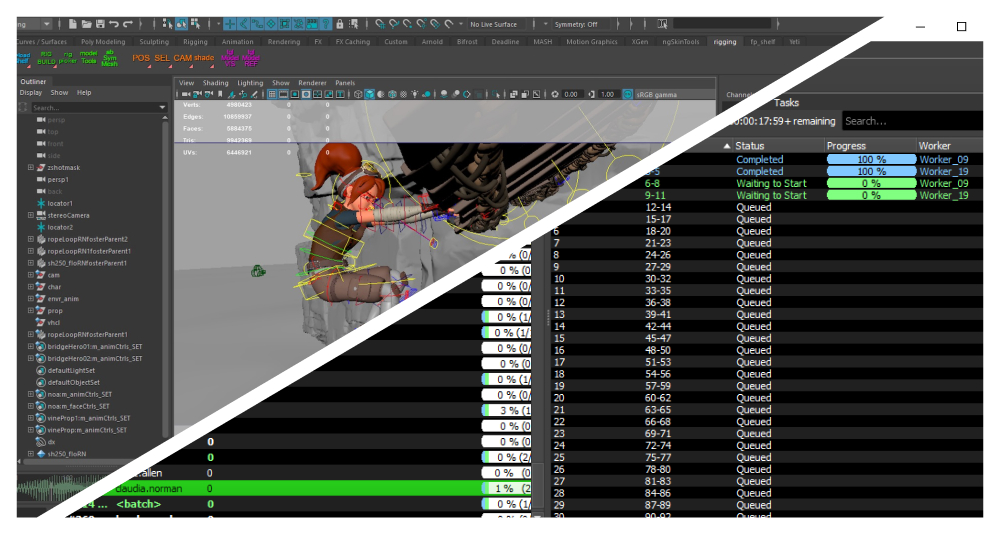
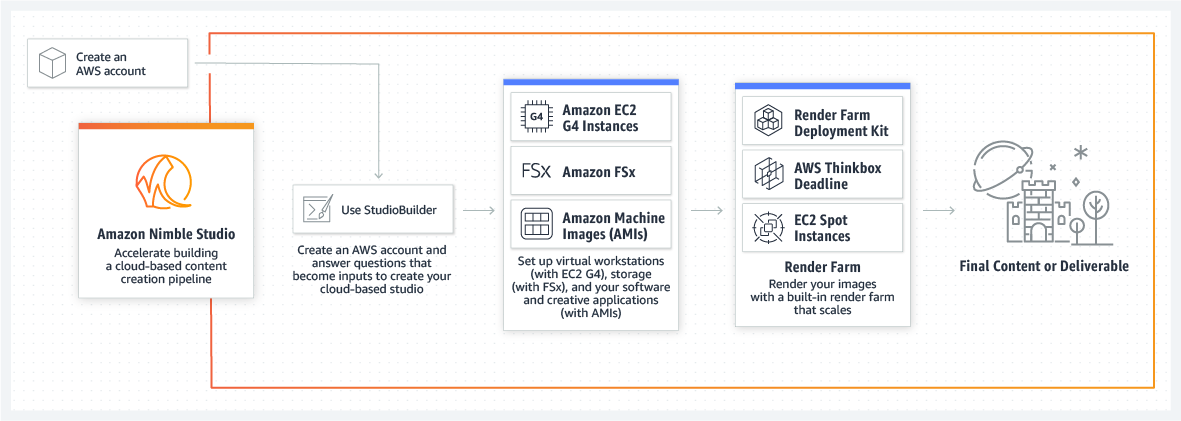
AWS acquired two powerful tools for the creative industry: Nimble Studio (cloud-based workstations) and Thinkbox Deadline (render farm management). However, smaller studios struggled to adopt Nimble Studio due to its complex and time-consuming setup, while Deadline’s deployment complexity significantly increased support costs.
To address these challenges, we built a new service AWS Deadline Cloud designed to meet the needs of both small and large studios.
For small and mid-sized creative studios, getting started with AWS cloud rendering often feels overwhelming. The tools are built for DevOps teams, not artists so studios end up paying thousands of dollars in fees to cloud experts just to get set up, instead of focusing on their creative work.
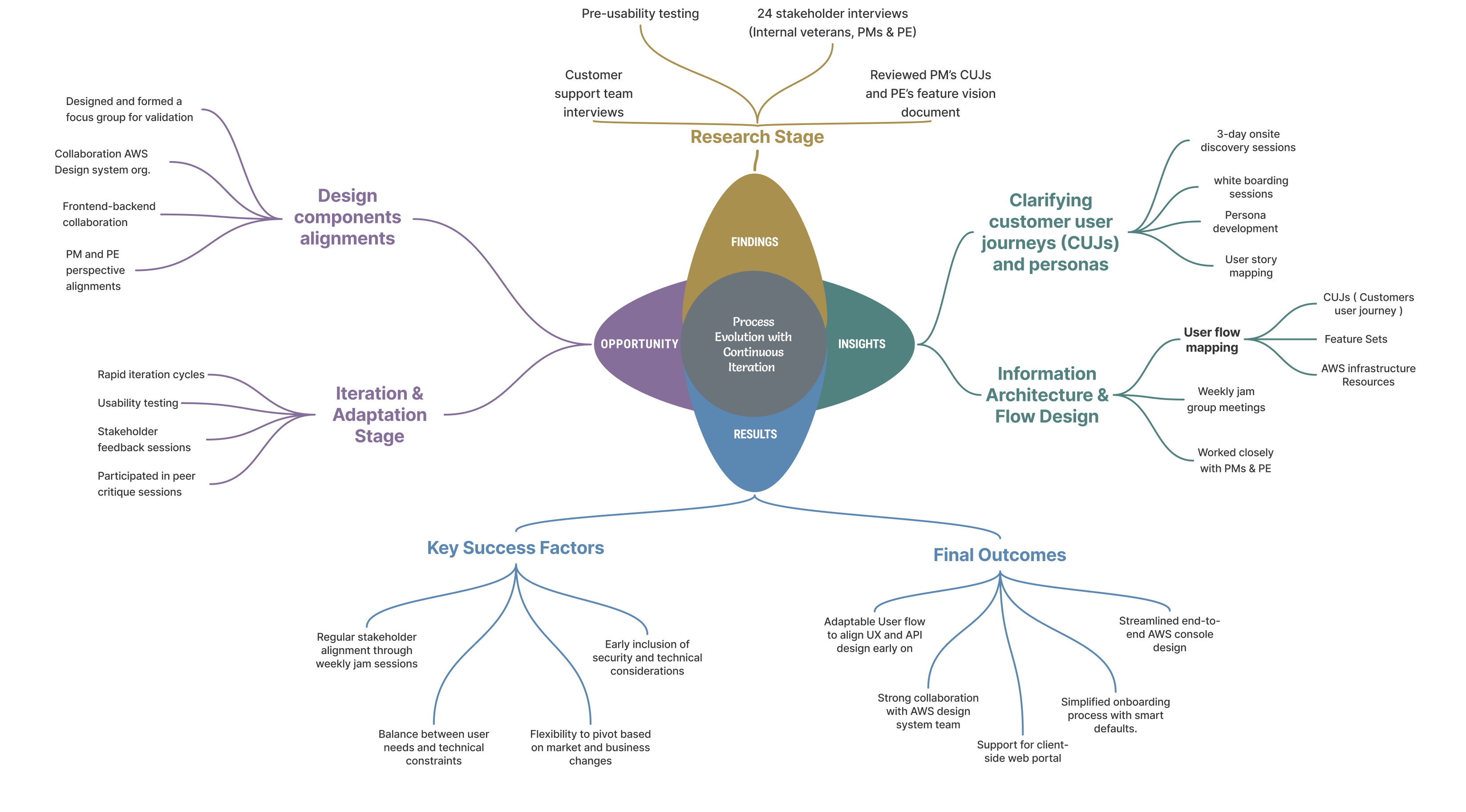
The design process wasn’t linear, I was tasked with merging two complex consoles into one cohesive render management console. The difficulty wasn’t just in the interface, it was aligning multiple teams, backend limitations, and user expectations, all while hitting aggressive monthly milestones.
Methods Used:
Key Challenges:
Actions:
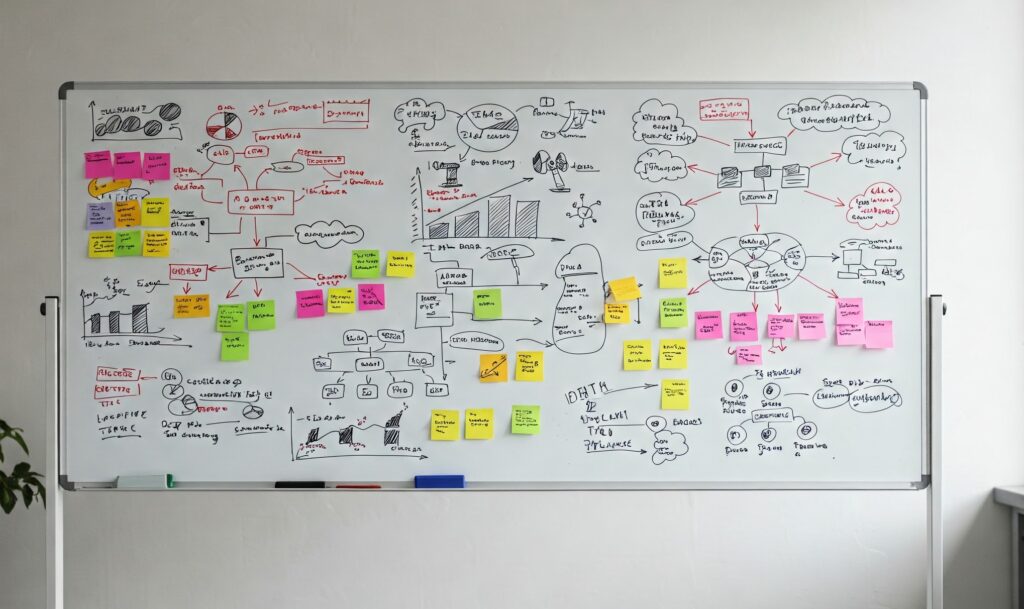
Disclaimer: This is a free stock image used for representation purposes and does not violate any NDAs.
User Pain Points
I felt like I needed to be a cloud expert before I could even begin.
I just want to quickly create simple render farm without dealing with confusing cloud settings.
I just want to temporary upload my files, render the job, and download the results without permanent cloud storage setup.
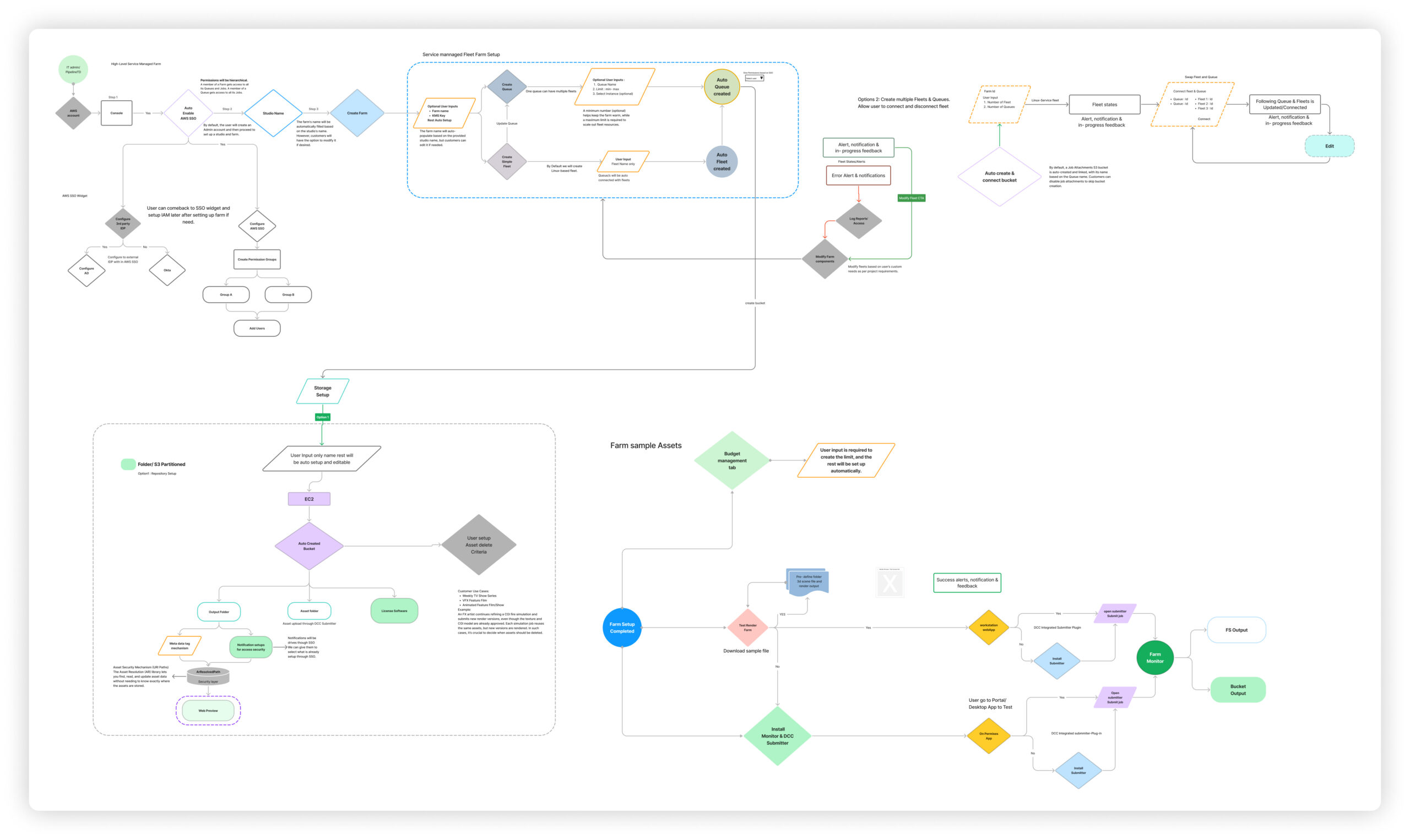
Based on what we learned in research, I translated it into actionable strategy. Starting with problem framing, then defining key user roles, mapping their workflows, and shaping the UX approach around their needs.
To guide feature prioritization and workflows
Across product, engineering, and documentation teams
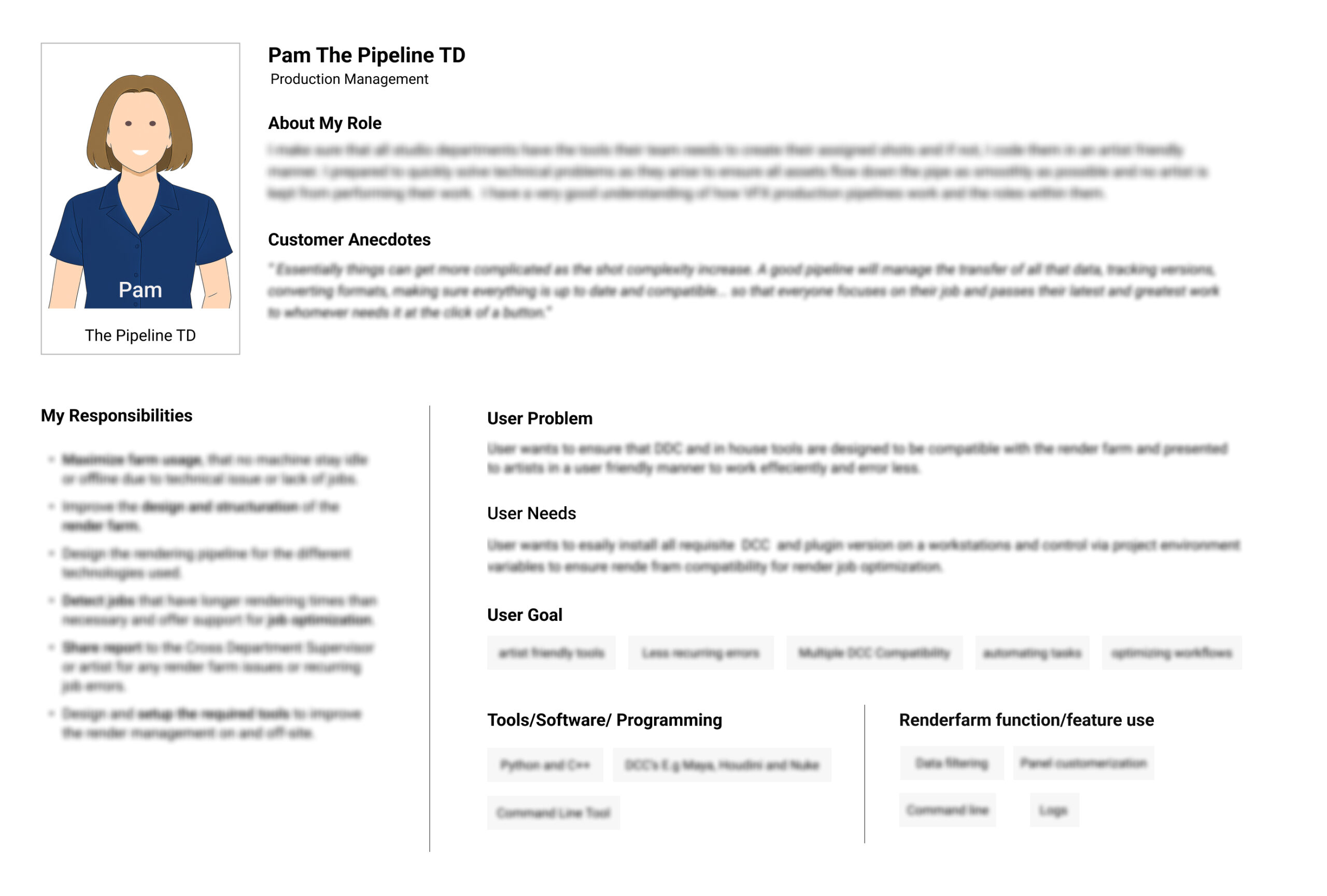
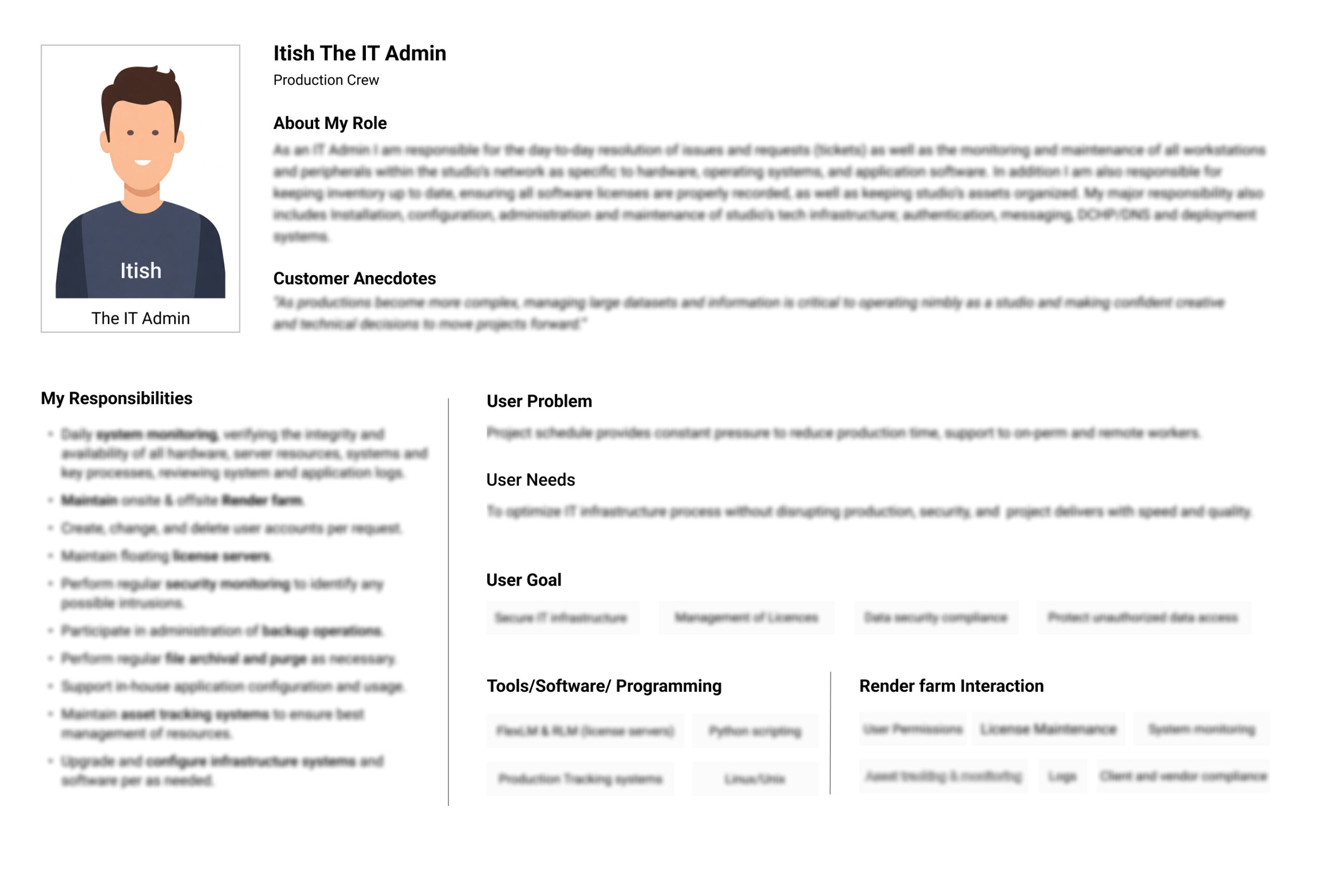
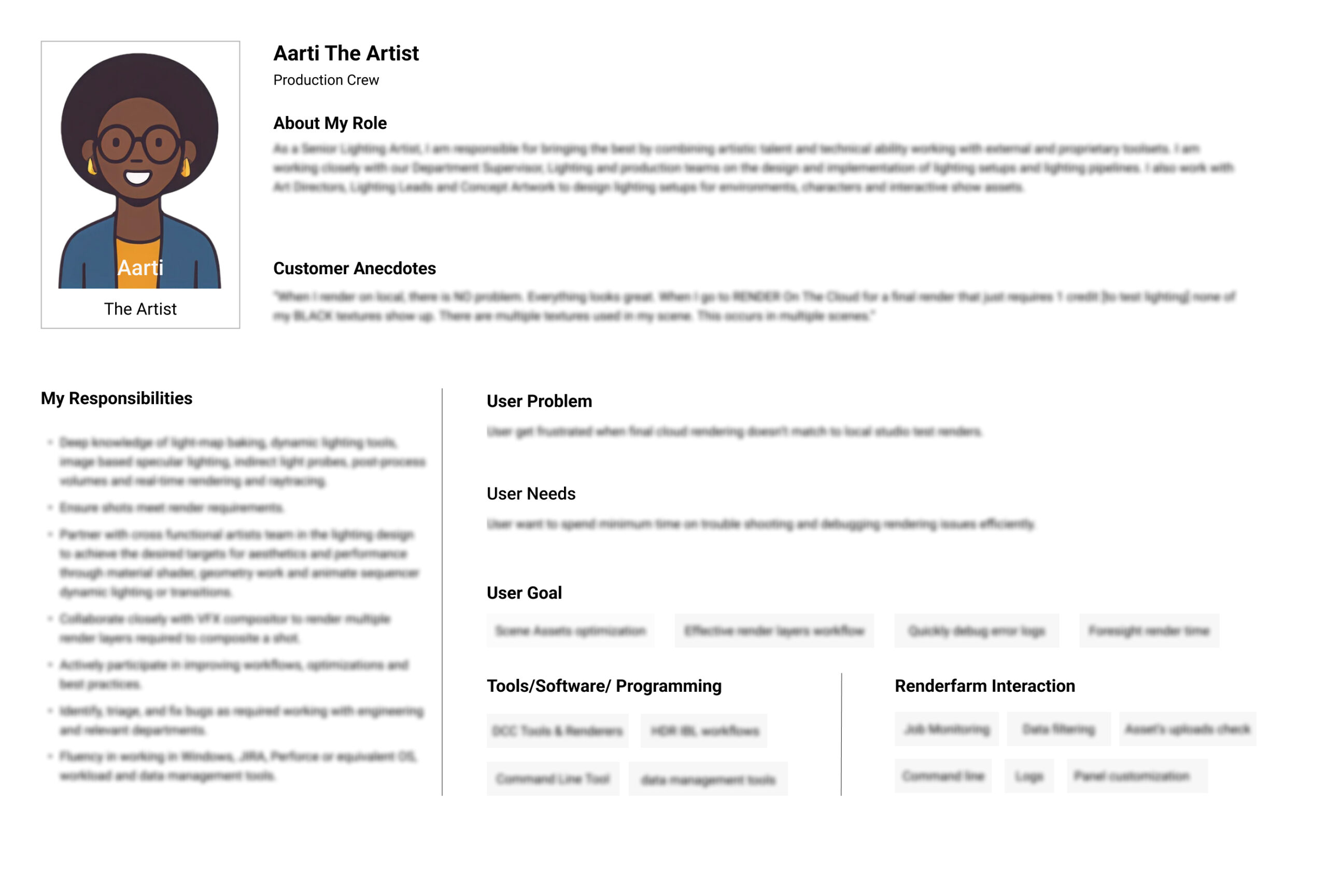
Initial persona were too high-level with only role tittles and didn’t capture the differences in roles, goals, or pain points. I designed personas to help clarify:
Each role’s core responsibilities
Their touchpoints with Deadline Cloud
Their use of other tools (e.g., on-prem render managers)
The languages/scripts they used to customize pipelines (e.g., Python, Deadline APIs)
Enabled engineers to design APIs, designers to begin portal work, and provided clarity for console design
Improved alignment and clarity, accelerating progress and ensuring milestone achievement
Helped drive progress and ensure milestone achievement
I initially started with low-fidelity mocks based on an early version of the vision document, which was still taking shape. As things progressed, it became clear we first needed to nail down the user flows to make sure everyone was on the same page. I worked closely with engineers and product managers to define those flows, and once we had that clarity, I translated them into visual mockups that helped keep us aligned and moving toward our milestones
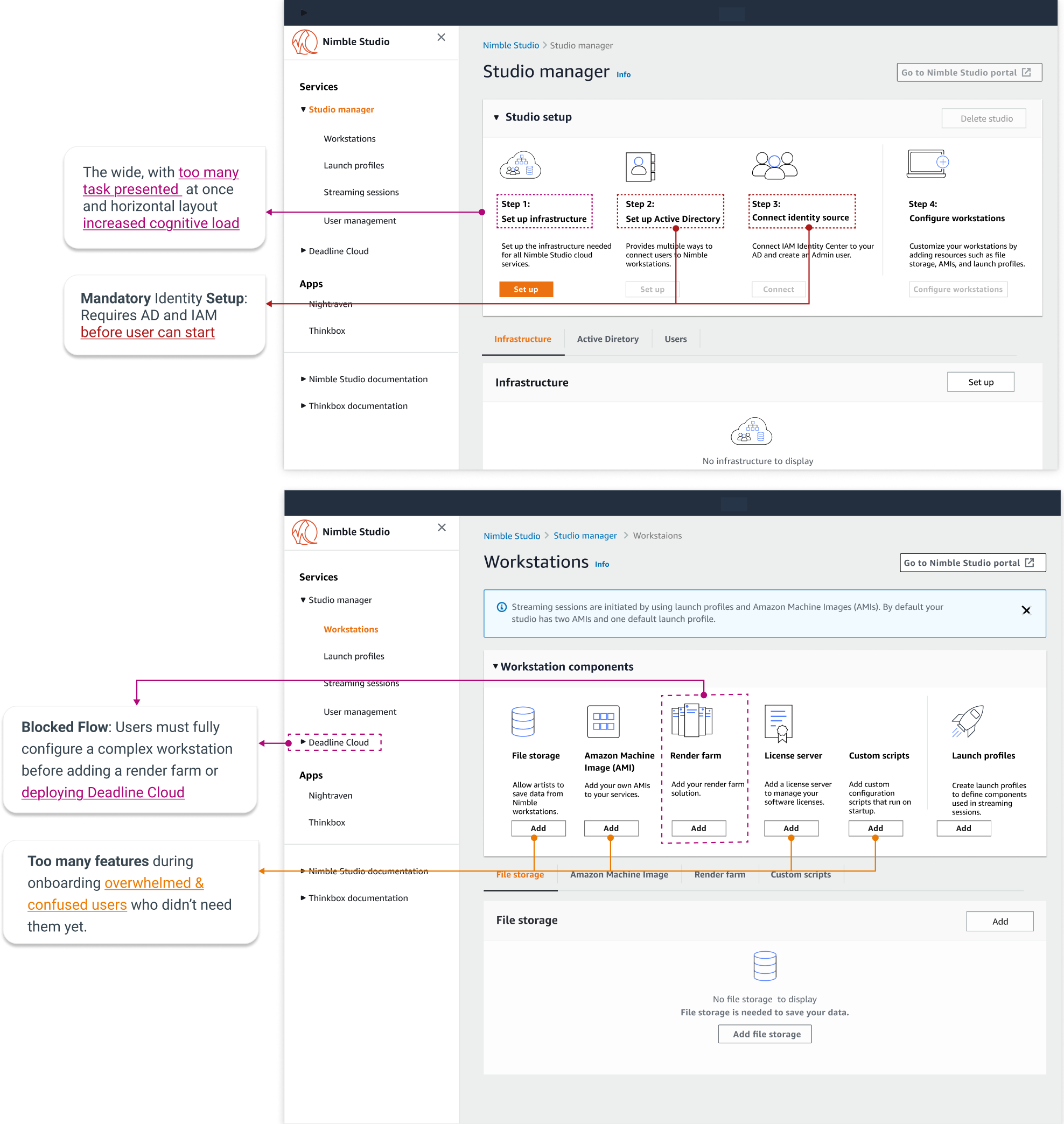
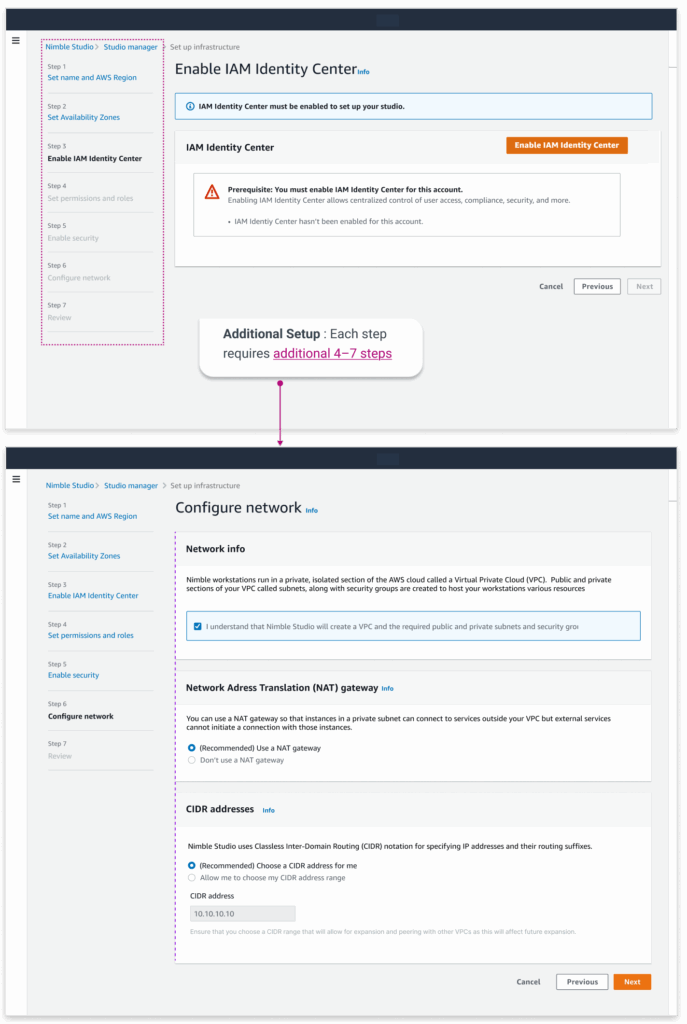
At first, integrating Deadline Cloud into Nimble Studio seemed simple but it was built for AWS experts, not creative teams. The setup was too technical and slow. I shipped an early version, then proposed a better UX strategy: a fail-safe onboarding flow that makes setup simple enough for non-technical users without losing AWS flexibility.
Create a VPC, configure subnets, set up IAM roles, define policies, create S3 buckets... then maybe start rendering.
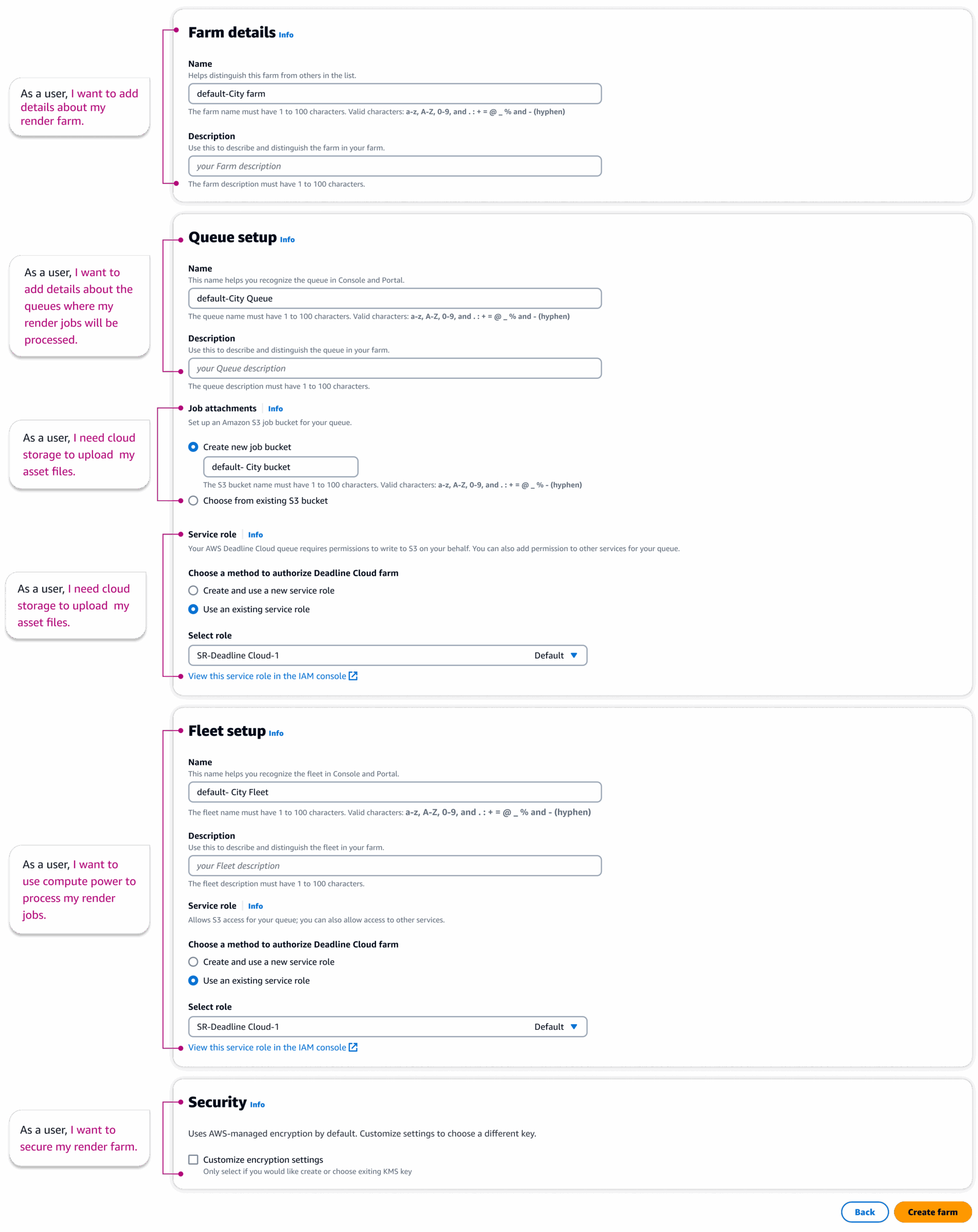
The horizontal layout presented too many tasks at once, overwhelming users with task they could understand.
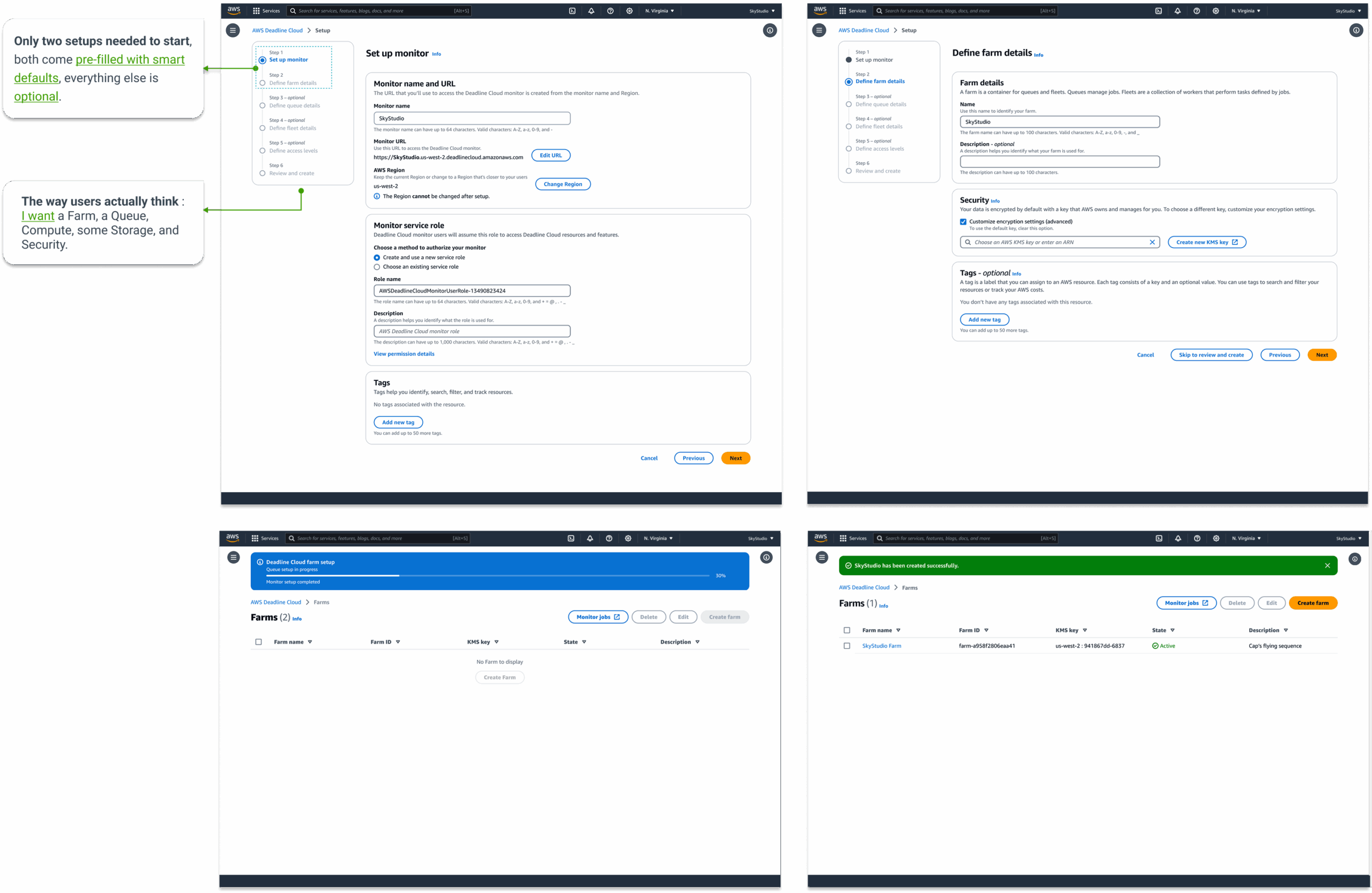
Task-based onboarding with smart defaults to quick start and full customization available later in the console.
Adopted new AWS Cloudscape design system with simplified layouts, and clearer hierarchy to support faster user decisions and reduce training time.
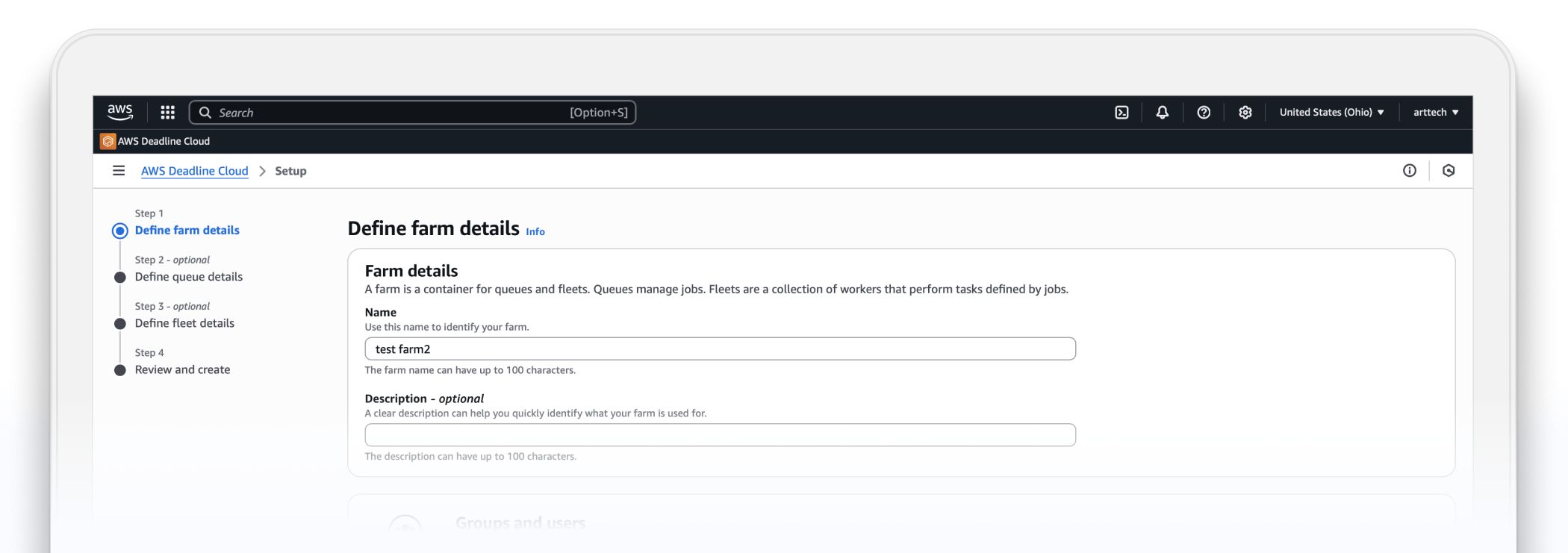
We adopted a wizard-style approach based on the customer's mental model, breaking onboarding into manageable steps. This allows users to focus on rendering without the complexity of AWS setups.
Quick screen recording of the onboarding and console experience.
What I learned:

AllQuotes is an online service marketplace for home improvement projects that helps customers get their project quotes from the listed service contractors on the website.
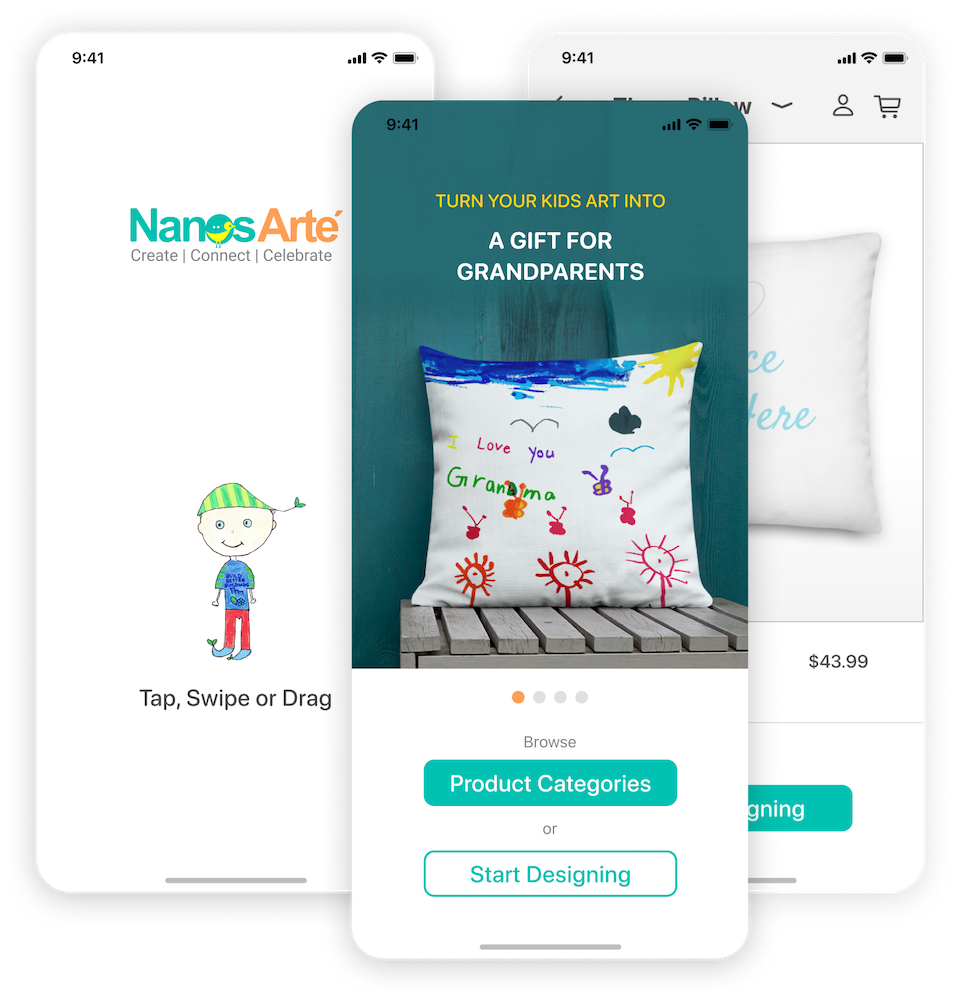
Nanos Arte is an e-commerce store and turns kids' artwork into a personalized gift for family and friends to celebrate special days. An iOS mobile app helps the user design mockups before placing an order of their personalized gift.